


Behaviors
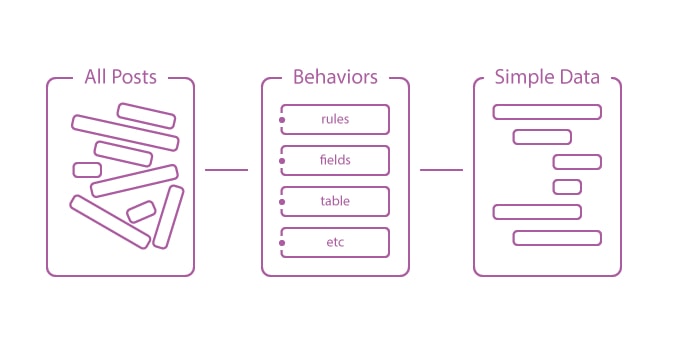
Suggest EditBehavior is the main part of the ORCHID content management system. Rather than generating CRUD for every model, you can select any object under separate type and manage them easily. Behaviors are applicable only to 'Post’ based models, as it is base model for typical data.
You should describe the fields you want to have and their state, while its CRUD will be assembled automatically. Also you can specify a validation or modules. (See Forms section).
Creating and registering behaviours
Follow this procedure to create behaviors:
//Create behaviors for a single entry
php artisan make:singleBehavior

//Create behaviors for many entries
php artisan make:manyBehavior
Private behavior must be registered at config/platform.php in types section:
//
'single' => [
    //App\Behaviors\Single\DemoPage::class,
],

//
'many' => [
    //App\Behaviors\Many\DemoPost::class,
],
To display the behavior of the user, you must grant requisite rights to the user or group (roles) using the visual interface.
The type is as follows:
namespace DummyNamespace;

use Orchid\Platform\Behaviors\Many;

class DummyClass extends Many
{

   /**
    * @var string
    */
   public $name = '';

   /**
    * @var string
    */
   public $slug = '';

   /**
    * @var string
    */
   public $icon = '';

   /**
    * Slug url /news/{name}.
    * @var string
    */
   public $slugFields = '';

   /**
    * Rules Validation.
    * @return array
    */
   public function rules()
   {
       return [];
   }

   /**
    * @return array
    */
   public function fields()
   {
       return [];
   }

   /**
    * Grid View for post type.
    */
   public function grid()
   {
       return [];
   }

   /**
    * @return array
    */
   public function modules()
   {
       return [];
   }
}
You can extend the type of data at every possible way to add a new feature that corresponds to your application.
Grid modification
You can change the data you want to display in grid by passing the array with name and function instead of key value, where the passed index is an initial data segment.
/**
 * Grid View for post type.
 */
public function grid()
{
    return [
        TD::name('name')->title('Name'),
        TD::name('publish_at')->title('Date of publication'),
        TD::name('created_at')->title('Date of creation'),
        TD::name('full_name')->title('Full name')
        ->setRender(function($post){
            return  "{$post->getContent('fist_name')} {$post->getContent('last_name')}";
        })
    ];
}